A practical office guide
Invoice Approval Workflow for Small Businesses
An invoice arrives by email. Someone saves it, someone forwards it, and the person responsible for approving it is unclear. A repeatable review process gives each invoice a named next step before your team handles payment.
For office administrators, purchasing teams, and staff who collect invoices.
One invoice, a responsible reviewer, and a decision connected to the reviewed file.
Start with one process
Set it up. Check it together.
- 01
Collect the file and its context
Upload the invoice and choose a consistent destination, such as a Finance Space. Record enough context to distinguish it from another invoice: supplier, invoice number, and the purchase it relates to. Check any extracted amounts against the original.
- 02
Name the reviewer and the question
Send an internal document review request to a person in your company who has the required access. Include a useful instruction, such as confirming the equipment was received and the invoice matches the agreed purchase. Decide who handles exceptions before the first request.
- 03
Review the source, then record the response
The reviewer opens the invoice and checks the supporting information before deciding. Keep the response with the reviewed version so staff can see the outcome. If the supplier sends a corrected file, review the replacement: a previous approval should not stand in for checking the changed document.
- 04
Hand off the approved invoice
Your finance team completes its payment checks in the accounting or payment system it uses. For repeated form-based requests, configure a workflow with the reviewers and conditions your plan supports, then test both the normal route and an exception before expanding.
Inside Narra
Keep the review beside the document.
Use document reviews for a straightforward first process. Add configured forms and conditional routing when a repeated request needs a more structured path.
Explore the document approval walkthrough →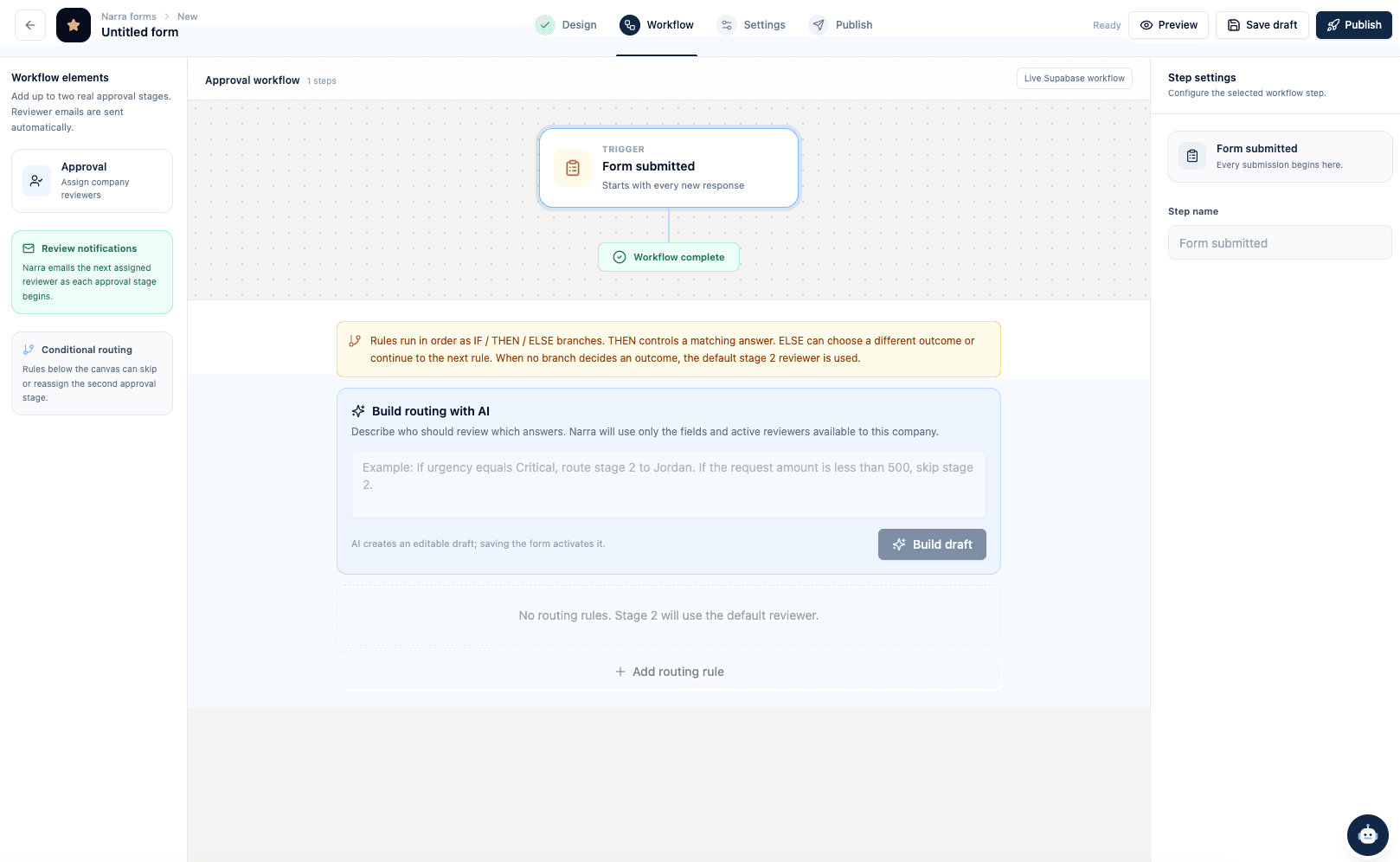
Before you expand
Know the limits.
- Narra document approval is not a payment authorization or an accounting-system integration. Confirm any connection your team needs.
- Starter includes document approvals and up to three active workflows. Form and routing capabilities depend on the plan and configuration.
- File replacement clears current approval while preserving earlier review history. Check the new version before relying on a decision.
Before you start
Practical questions.
Do we need a complicated approval chain?
No. Start with a single reviewer for one recurring purchase type. Add other reviewers or conditions only when your own purchasing process requires them.
Can Narra automatically check for duplicate invoices?
This guide does not assume automated duplicate-invoice detection. Include your own duplicate and payment checks, and confirm any required automation with Nalto.
How do we try it without changing our payment process?
Use a few suitable sample invoices and keep the current payment system in place. Test document access, review instructions, and the handoff before using the workflow more widely.
Try it with your own process
Bring one task into focus.
Start a 7-day trial from $95 per seat per month. Self-serve setup is $0.
Card required before workspace access. Cancel before the trial ends to avoid the first subscription charge.
Compare plans and included features →Another task on your list?